Tell the story your customers need.
Show the sections that help your customer decide. Hide the ones you don’t need.
See your changes beside the section controls.
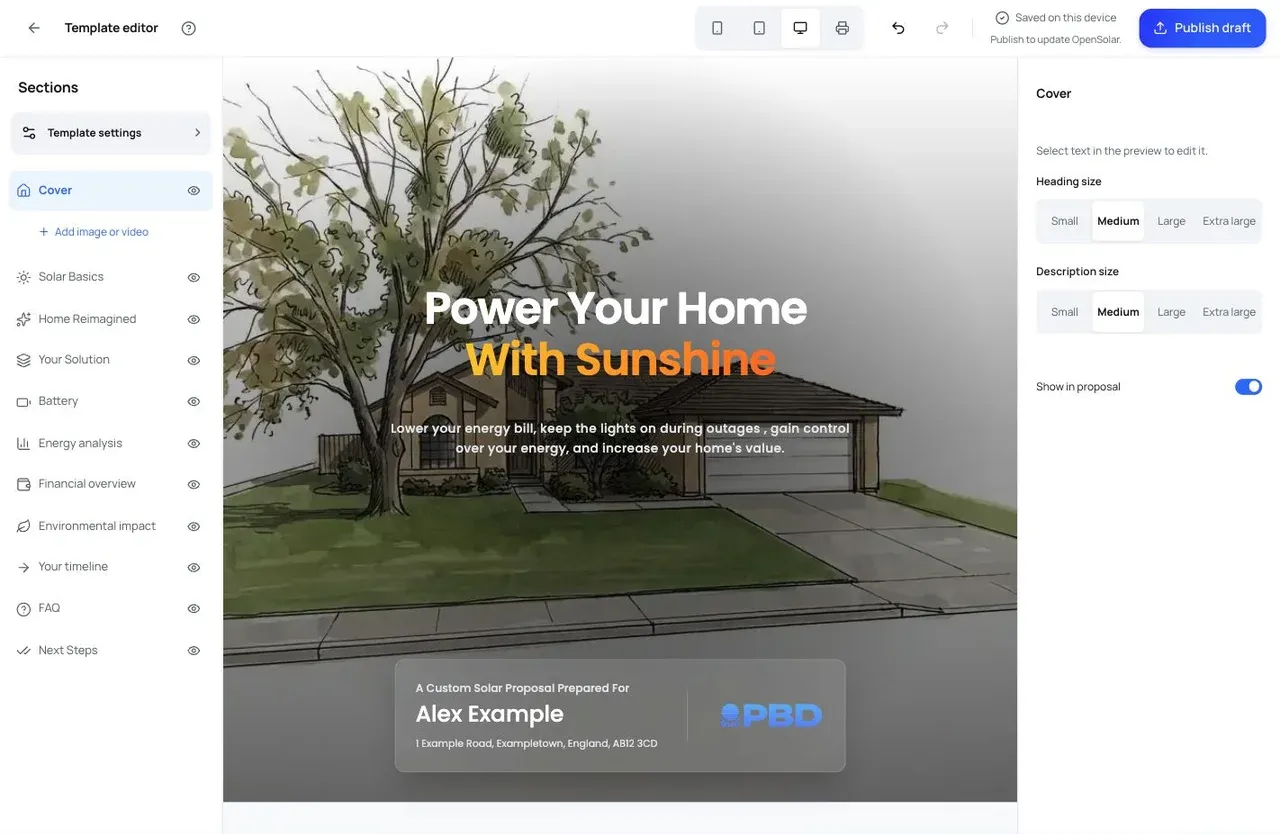

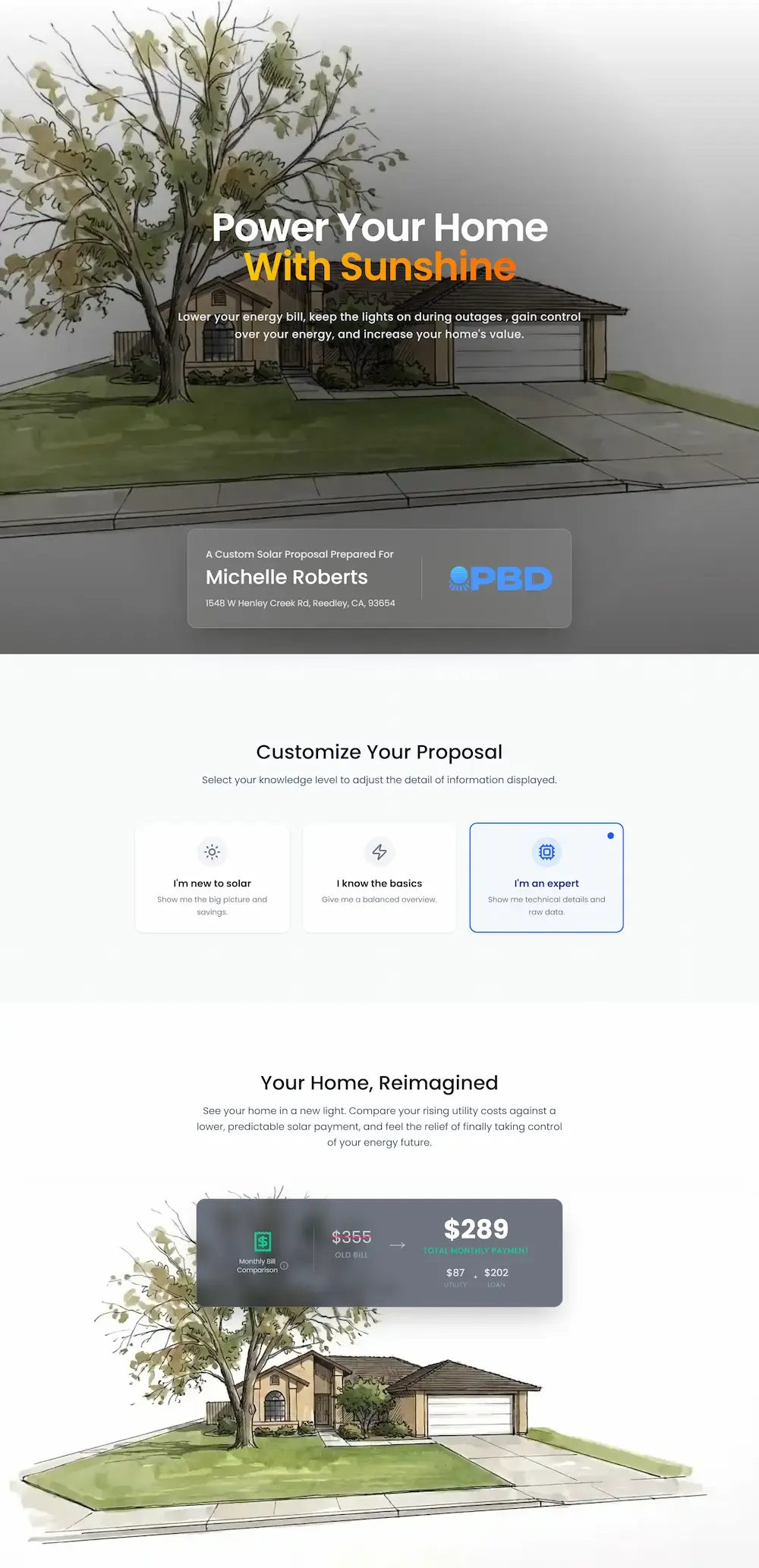
Customize your template beside a live preview. OpenSolar supplies the project details.
Show the sections that help your customer decide. Hide the ones you don’t need.
See your changes beside the section controls.
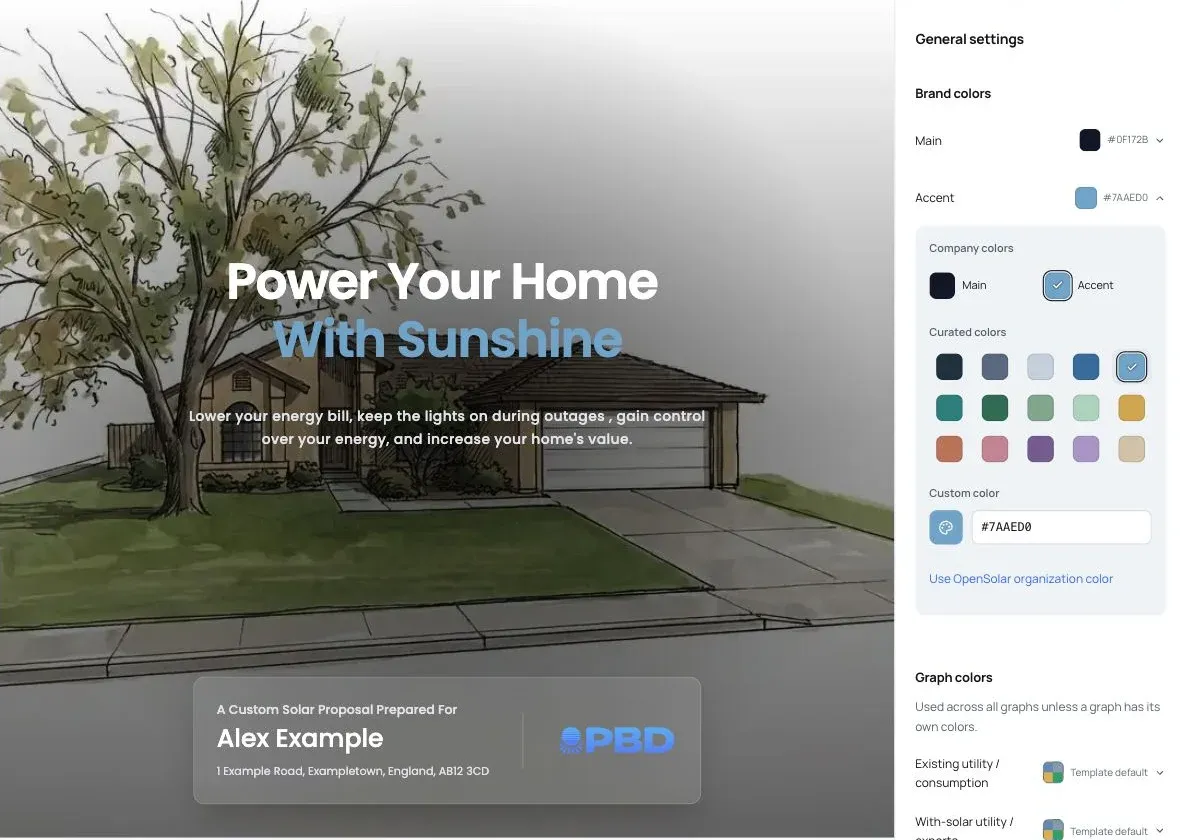
Set your brand colors in General settings. Click text in the proposal to edit headlines and explain your approach.
Choose an accent in General settings and see it update in the preview. Adjust text size and emphasis in the side panel.
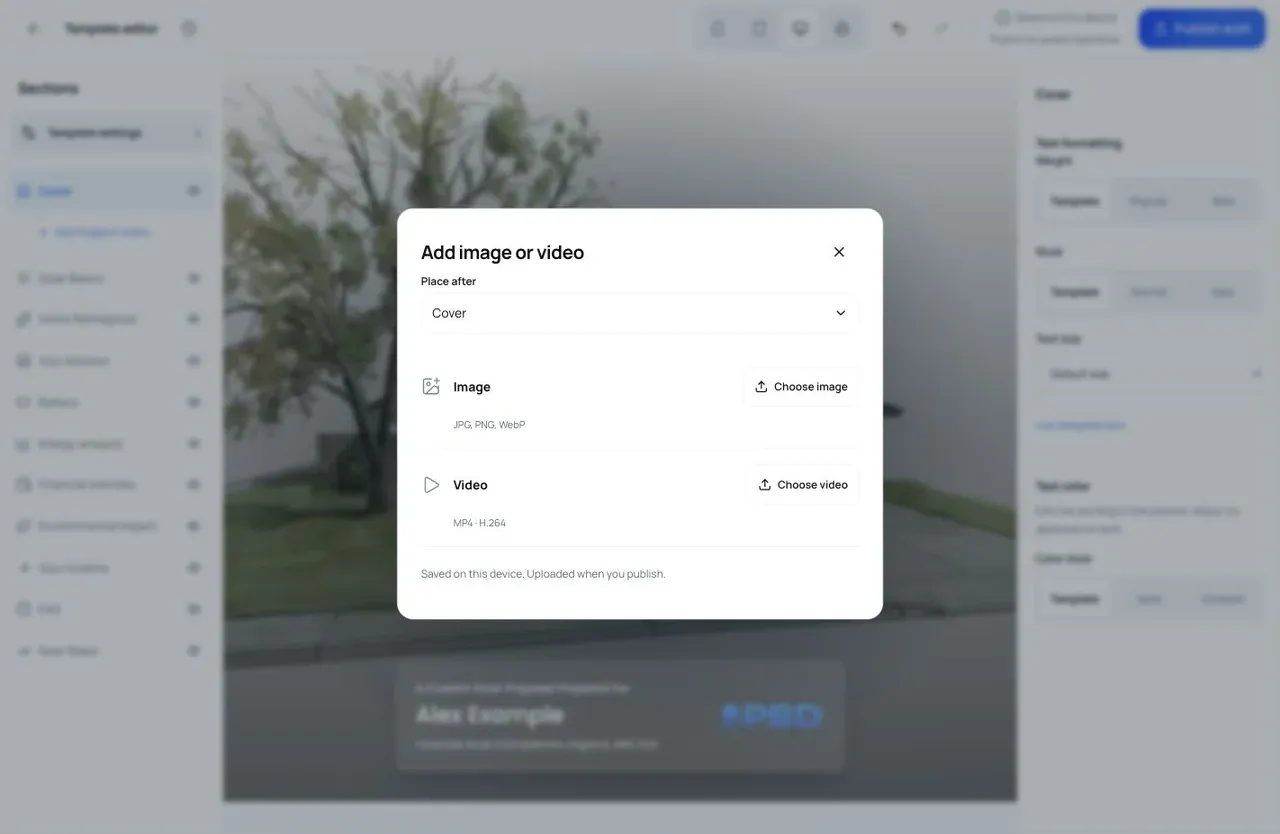
Add photos and videos of your installations, your team, or what happens next.
Choose their position, add image descriptions, and replace media anytime.
Built specifically for solar installers who want proposals that impress homeowners and drive more signed contracts.
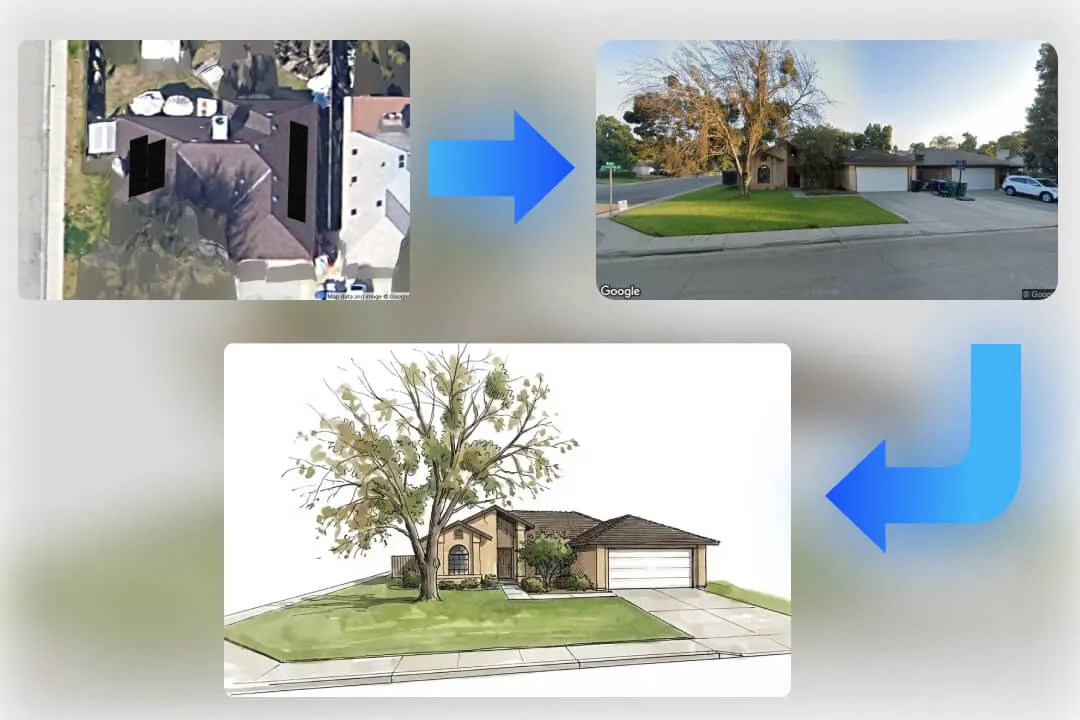
Give homeowners a familiar first look with a watercolor portrait of their home.
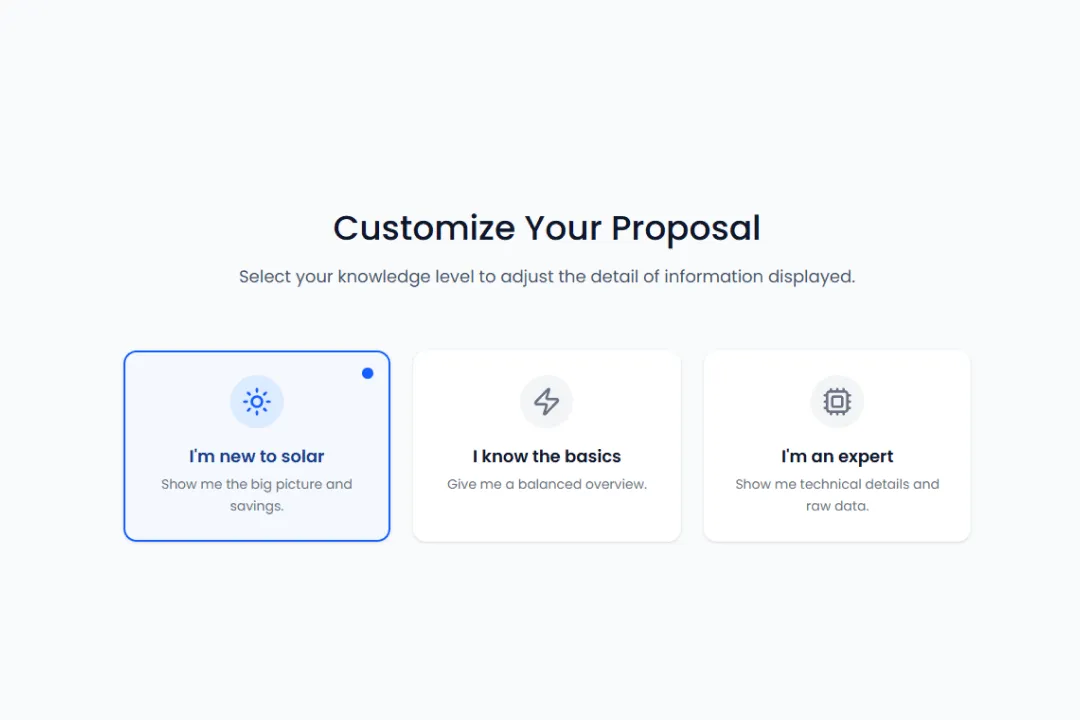
Homeowners choose their knowledge level to see explanations and detail that suit them.
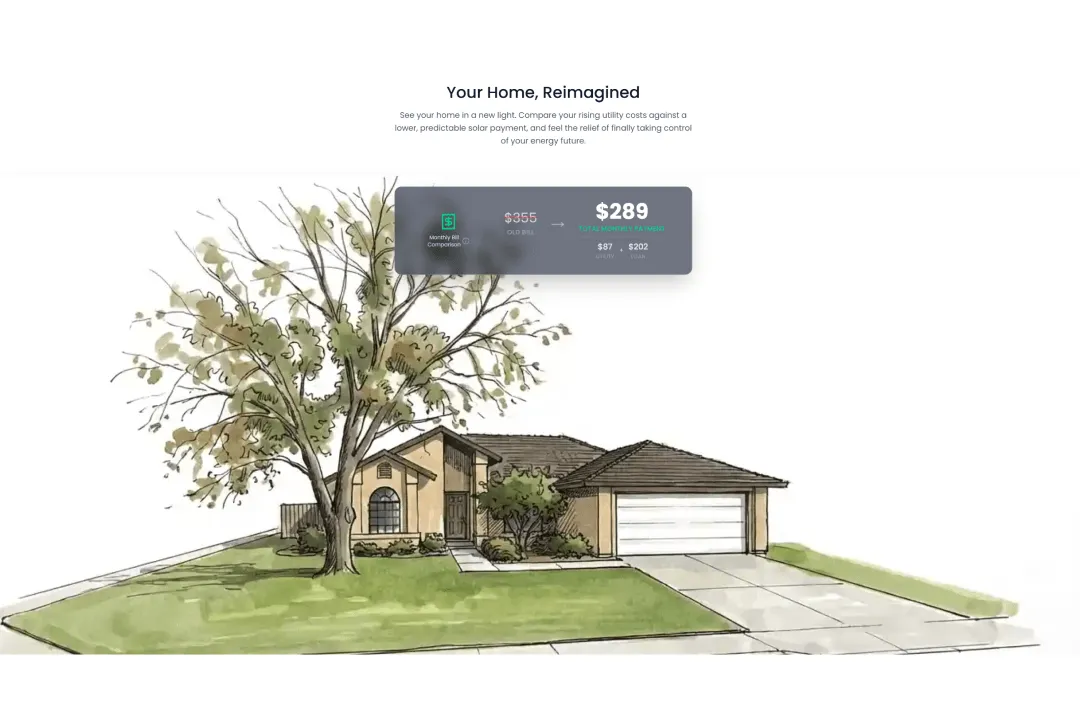
Show the new monthly bill in seconds. Clear savings make the decision obvious and help homeowners move forward sooner.
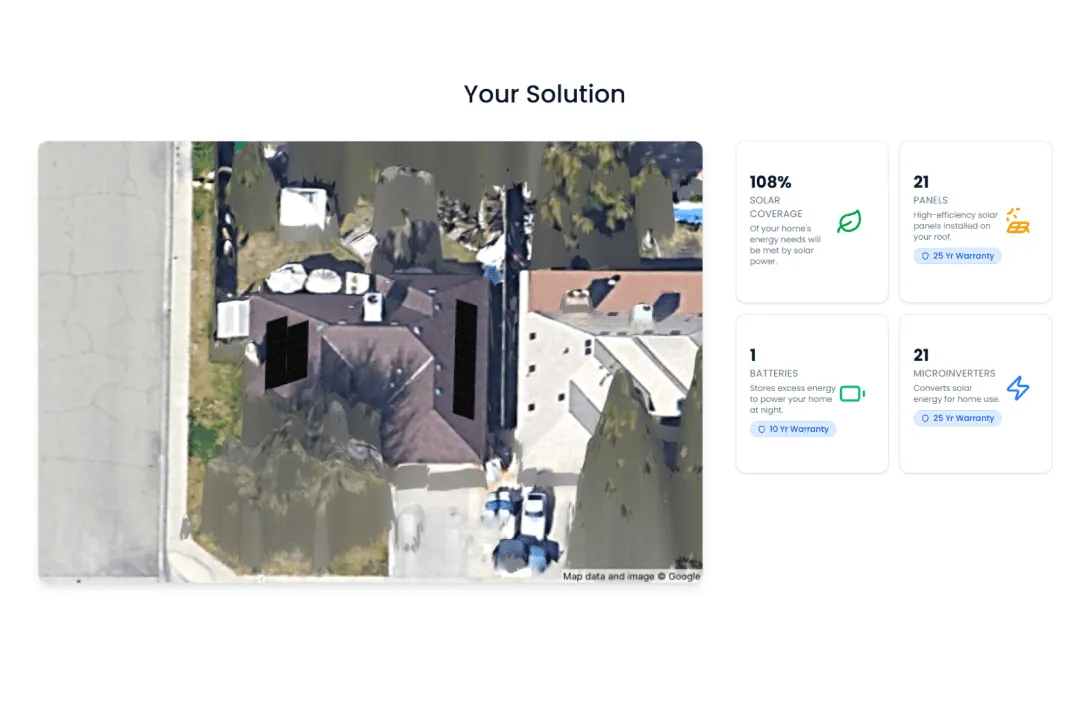
A clean visual explains panels, inverters, batteries for non-technical buyers, with full specs available for detail seekers.
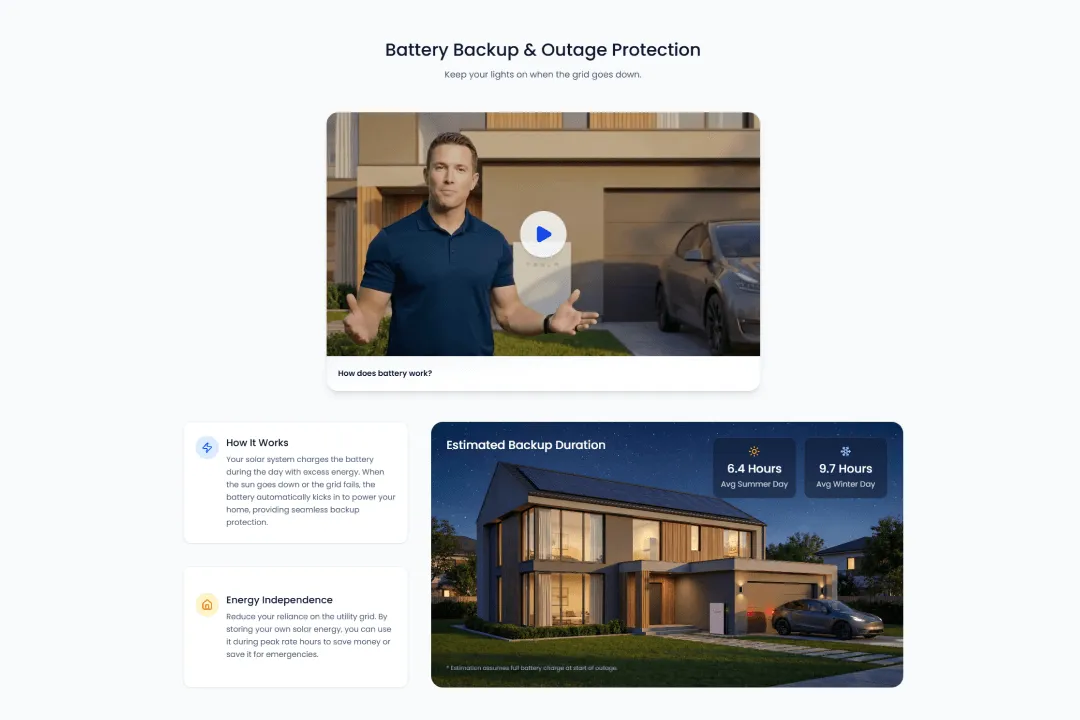
Instantly show estimated backup hours, plus a short explainer video. Homeowners can finally justify storage upgrades.
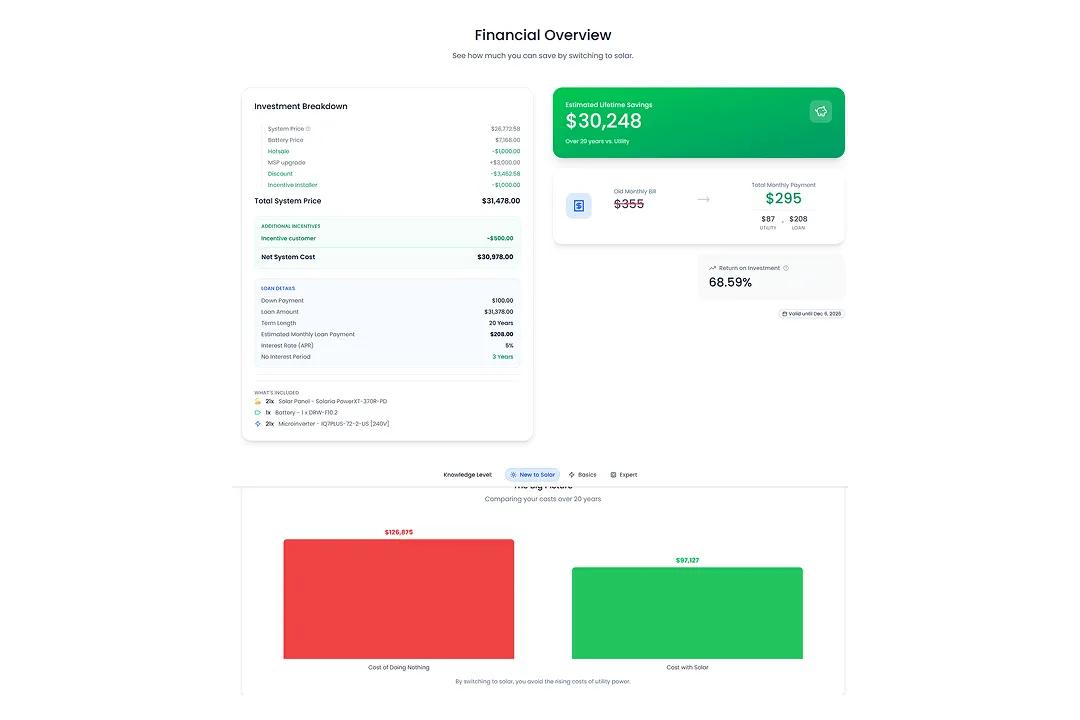
Incentives, pricing, financing, and payback live in one section so the value is undeniable and the proposal feels easy to trust.
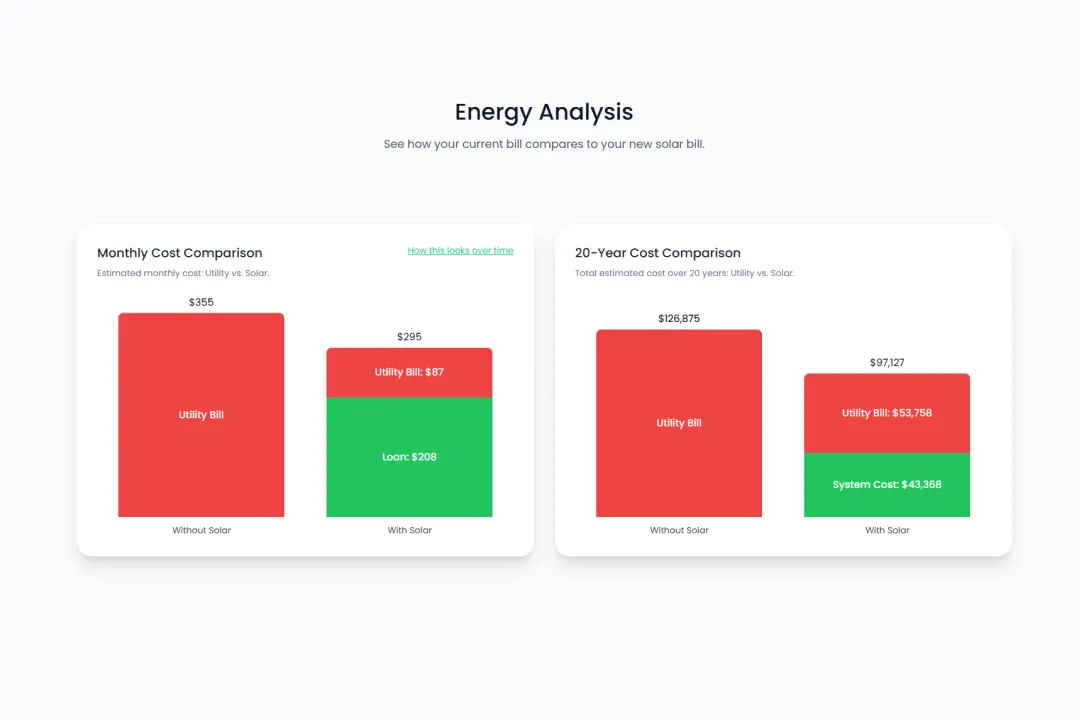
Clean charts turn production and savings into a story homeowners believe from next month through year 25.
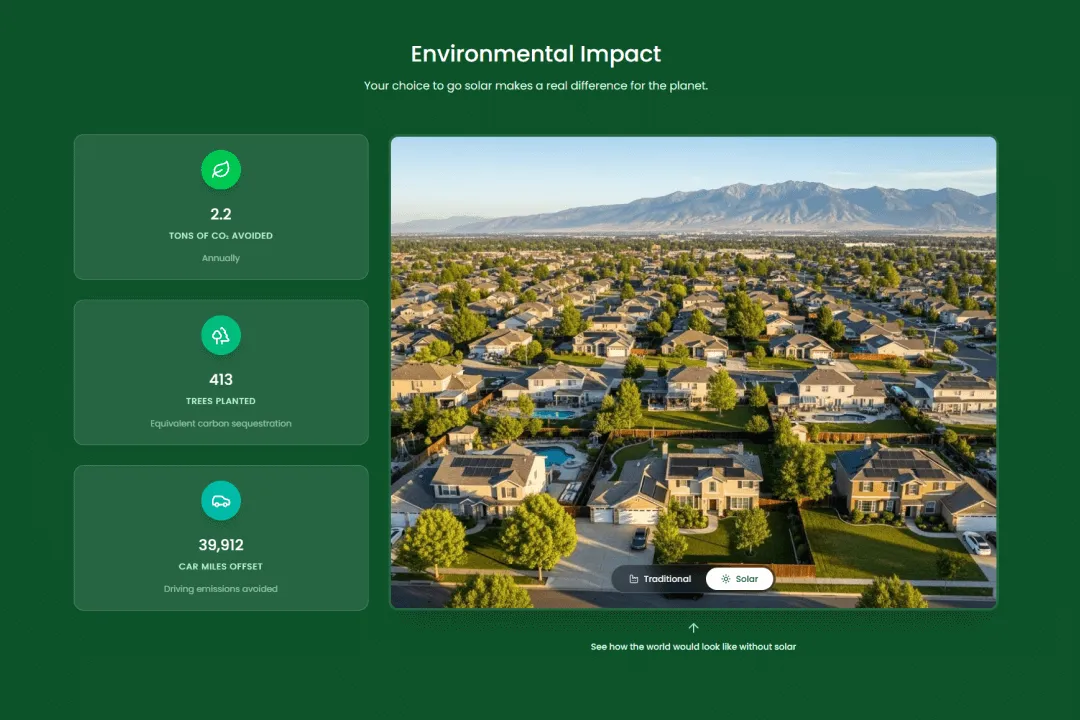
Translate kWh into carbon avoided and trees saved. That emotional win helps homeowners feel great about choosing you.
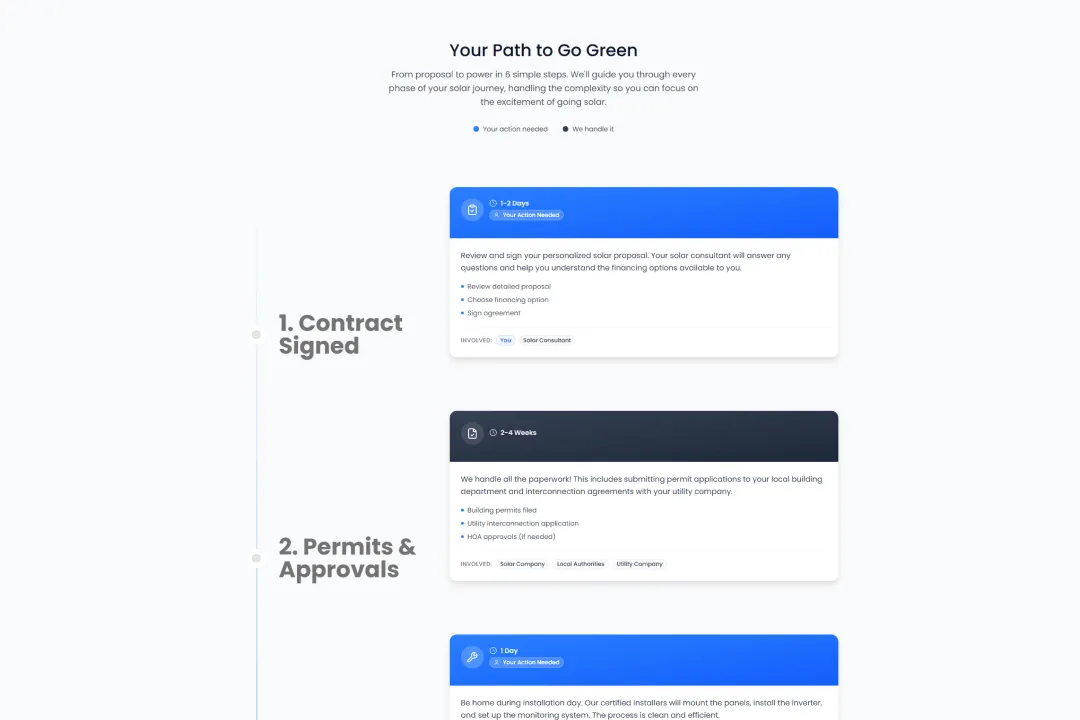
Set expectations with a step-by-step schedule and time estimates. Fewer questions means faster approvals.
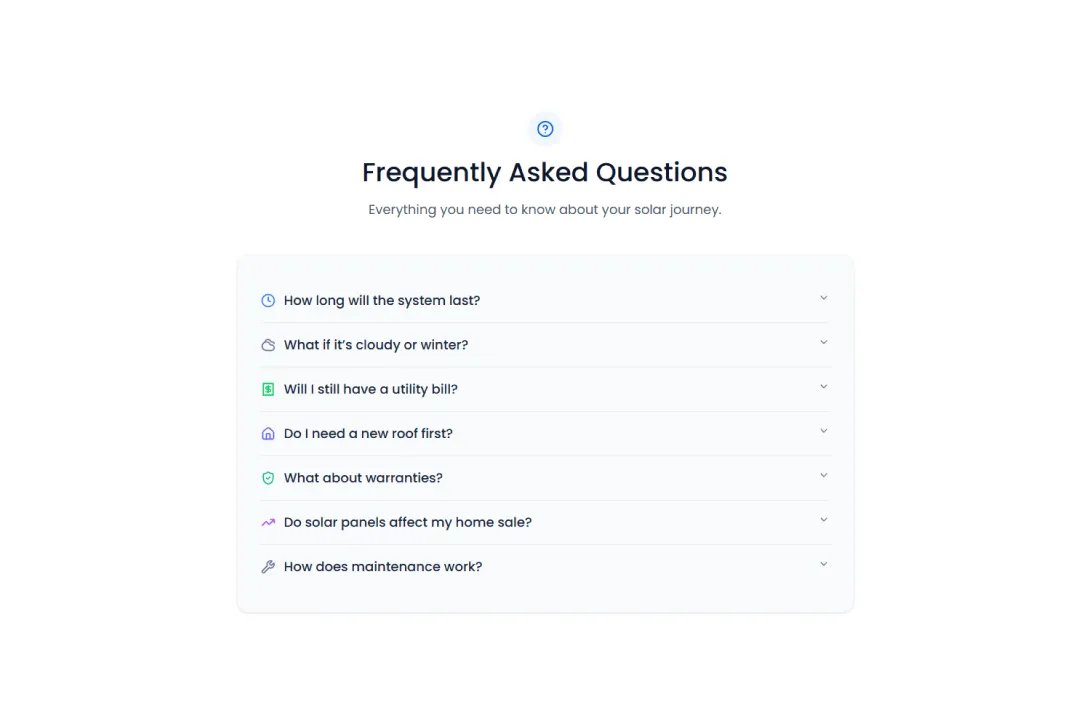
Answer the most common concerns before they are ever asked so sales conversations stay focused on closing.

Pale Blue Dawn is an OpenSolar integration partner. That means direct API access, dedicated support from the OpenSolar team, and the confidence that your proposals are built on a solid foundation.
Verify on OpenSolarCheck us out on OpenSolar's partners directory
Your first 5 proposals each month are free. After that, pay for the proposals you generate. Paid usage is billed at the start of the following month; payment timing may vary. Zero proposals means zero charges.
Estimated monthly cost
$0
First 5 proposals each month are free
Built-in spending cap
Set a monthly spend limit in your dashboard. New proposals pause when the next one would take your estimated monthly total over that limit.
Connect your existing OpenSolar account and install in under 2 minutes. Then take your time making the template your own.
From account to your own template
Sign up and verify your email to open your dashboard.
STEP 1
Follow the guided connection and choose your organization. Use an OpenSolar account with permission to install templates.
STEP 2
The dashboard installs the proposal template into your selected OpenSolar organization.
STEP 3
Open the editor, customize your content and branding, then preview and publish your draft.
STEP 4
An existing OpenSolar account with permission to install templates for your organization. Create your Pale Blue Dawn account, connect OpenSolar, and follow the guided installation in your dashboard.
No. Install the complete template in under 2 minutes. Keep the default design or take your time customizing sections, colors, text, photos, and videos.
No. Customer and system details come from OpenSolar. Your edits change the reusable template, not the project data.
No. The editor uses sample data, so you can try changes and preview them without using your proposal allowance. Publish your draft when you’re ready to update your template in OpenSolar.
The first 5 proposals each month are free. Further generations use pay-as-you-go pricing, shown in the calculator above. Paid usage is billed at the start of the following month; payment timing may vary. Your dashboard shows your usage and estimated cost.
Yes. Set a monthly spend limit in your dashboard. New proposals pause when the next one would take your estimated total over that limit. You can change the limit from the billing page.
Ask us about connecting your OpenSolar account, installing the template, or making it your own. We’re here to help.